Power Platform
 Power Apps
 Power Automate
 Power BI
 Power Virtual Agents
 Dataverse
 AI Builder
 Dynamics 365
 Sales
Sales Marketing
 Customer Service
 Field Services
 Project Operations
 Finance and Operations
 Supply Chain
 Retail Commerce
 Business Central
 HR
HR Microsoft 365
 Microsoft Teams
 Sharepoint
 Office 365
 Azure
Azure
One of my favourite actions in Power Automate is the HTTP action. However it is premium, while for a lot of the Graph API endpoints there are standard actions available.

Comparing the Premiums HTTP with the Standard actions
I’m going to focus on the Graph API endpoints in this post.
If I for example want to get my profile details out of Microsoft Graph then I could connect using the HTTP action to https://graph.mcirosoft.com/v1.0/me and this will work as shown below:
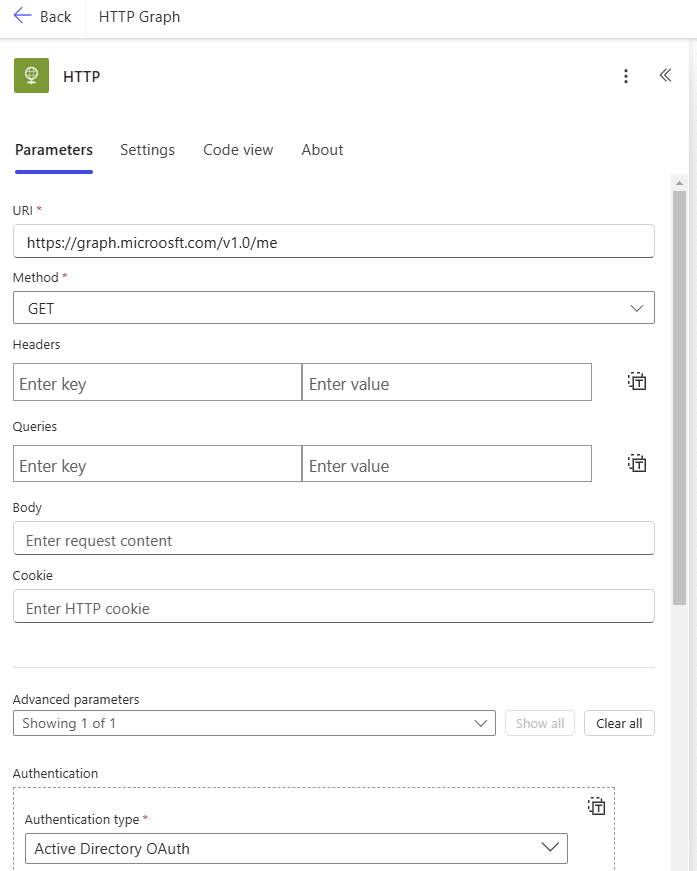
However I could also use a standard licence and avoid the need for premium licences using the Send an HTTP request from the Office 365 Users connector.

Other HTTP request actions
Notice that the HTTP request action in the Microsoft Teams connector has a slightly different name.

So what is the difference between all these action?
They all work fairly similar however they all have their own scopes. And calling some endpoint may work in one connector’s HTTP request action while it doesn’t work in another. Remember configuring the scopes in your app registrations?
Well there is no need to do that for these Standard actions. Which of course makes things a bit easier, but at the same time it also mean that we cannot expand the available scopes.
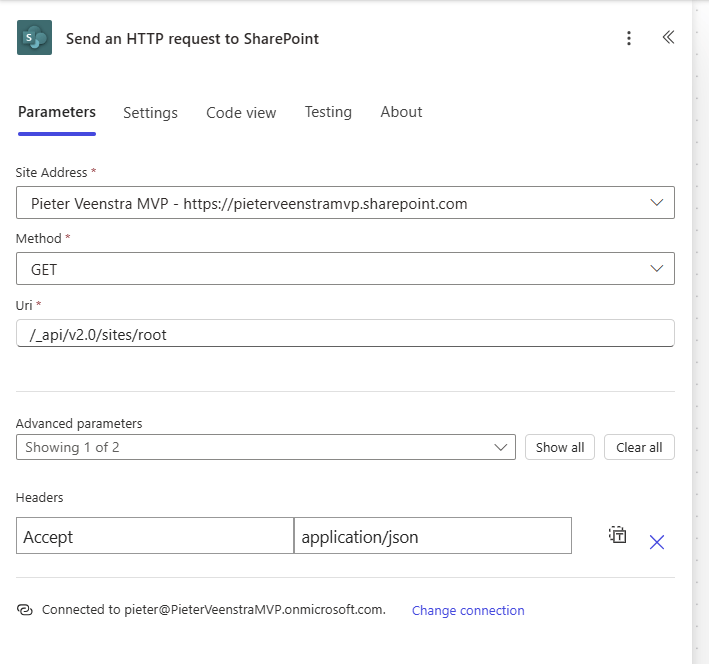
The Send an HTTP request to SharePoint action is slightly different. Notice in the above example that A site is supplied and then a relate url to that site. There is no Graph.microsoft.com here. For more details see my post about SharePoint and the Graph API in Power Automate post
Finding the available scopes for each action
The easiest way to find the scopes for the actions is by getting it wrong. So for example if uI go to the same profile endpoint as mentioned earlier using the Groups connector, then the error message on the failing flow will tell me that only the group resource is supported.

Supported resources for each HTTP action
Now for the above resources it is worth trying out the standard actions.
- They are easier to configure than the out of the raw HTTP action.
- No need for custom app registrations
- No need for premium Power Automate licences.
Discover more from SharePains by Microsoft MVP Pieter Veenstra
Subscribe to get the latest posts sent to your email.